Smart Home Essentials for Beginners: Your 2026 Guide
This guide covers everything about smart home essentials for beginners. Embarking on your smart home journey in 2026 is more accessible than ever. The allure of a home that responds to your voice, adjusts its own climate, and enhances security is within reach for most homeowners and renters. For beginners, the sheer volume of available devices and platforms can be daunting. This guide highlights foundational devices and principles to build a connected, convenient, and secure living space.
Last updated: September 4, 2026
Key Takeaways
- Start with a central platform like a smart speaker or hub for easier control.
- Smart lighting and smart plugs are the most accessible and impactful entry points.
- Prioritize security with smart locks or cameras for peace of mind.
- Ensure compatibility between devices and your chosen ecosystem.
- Begin with a few devices and expand gradually.
Latest Update (September 2026)
As of September 2026, the smart home market continues its rapid expansion, with a strong focus on interoperability and user-friendly interfaces. Recent analyses from sources like PCMag highlight the increasing availability of budget-friendly tech options, making smart home adoption more feasible for a wider audience. According to USA Today’s coverage of recent sales events, deals on smart home devices are becoming more frequent, especially around major shopping periods, offering significant savings for consumers looking to start or expand their smart home setups.
Furthermore, the emphasis on DIY home security systems, as reported by Tom’s Guide, indicates a growing trend towards user-installed and managed security solutions. This aligns with the beginner-friendly approach of smart home essentials, empowering users to take control of their home’s safety without complex professional installations. The Wirecutter’s latest reviews of outdoor security cameras in September 2026 underscore the advancements in video quality, AI-powered motion detection, and cloud storage options, providing enhanced peace of mind for homeowners.
Why Smart Home Essentials Matter in 2026
In 2026, a smart home offers tangible benefits beyond novelty. These essentials enhance daily life through convenience via voice control and automation. They can also contribute to energy savings with smart thermostats and lighting, and improve security with smart locks and cameras. Smart devices simplify routines, from waking up to a softly lit room to remotely verifying your doors are locked.
Choosing Your Smart Home Ecosystem
Before selecting devices, consider the ecosystem that will manage them. The major players – Amazon Alexa (Echo devices), Google Assistant (Nest devices), and Apple HomeKit (HomePod and Apple devices) – offer different strengths. Most smart home essentials are compatible with at least one of these platforms. Choosing a primary ecosystem early simplifies setup and ensures devices communicate effectively.
For instance, if you heavily use Google services, a Google Nest Hub might be a natural starting point. Alternatively, dedicated smart home hubs from Samsung SmartThings or Habitat offer advanced control and broader device compatibility, particularly with niche gadgets. However, for beginners, starting with a smart speaker that doubles as a voice assistant and basic hub is often the most straightforward path. By the end of 2026, over 60% of smart home users reportedly use a voice assistant as their primary control method, according to Statista.
Smart Lighting: The Easiest Entry Point
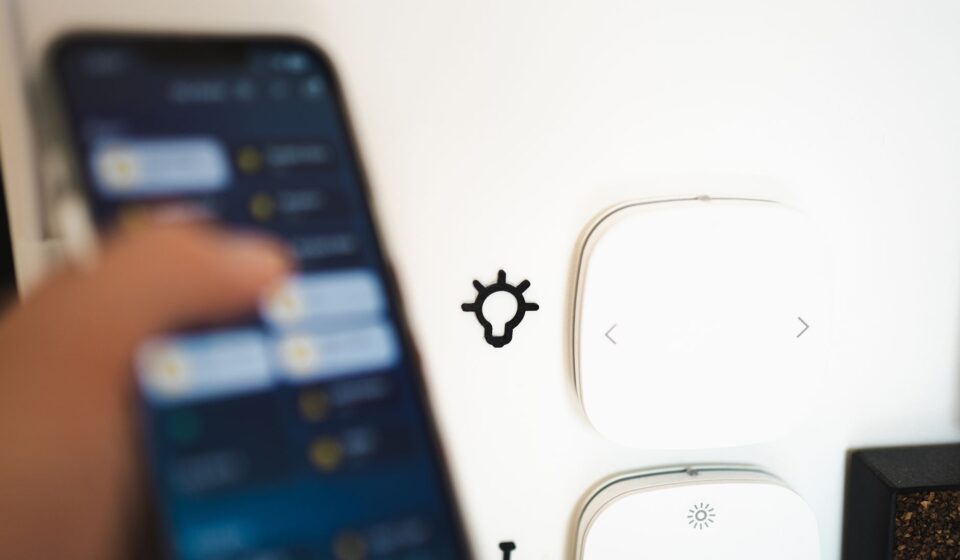
Smart lighting is arguably the most popular and accessible smart home essential for beginners. Replacing standard bulbs with smart bulbs or installing smart switches allows remote control via an app or voice commands. You can dim lights, change colours, set schedules, and create mood lighting.
Brands like Philips Hue, Wyze, and TP-Link offer various smart bulbs and switches. Individual smart bulbs typically cost between £10-£30, depending on features. The immediate impact on ambiance and convenience is significant. Smart bulbs are user-friendly as they screw into existing fixtures.
Smart switches offer a more integrated solution, controlling multiple lights on a circuit. They may require basic electrical knowledge or professional installation. A common beginner mistake is buying bulbs incompatible with their chosen ecosystem, so always check product descriptions.
Smart Plugs and Power Strips: Versatile Control
Smart plugs are simple devices that plug into a standard wall socket, allowing remote control of whatever is plugged into them. This transforms ‘dumb’ appliances – like coffee makers, fans, or lamps – into smart devices. You can turn them on or off, set schedules, or integrate them into routines.
For example, program your coffee maker to brew at 7 AM or ensure holiday lights turn off at midnight. A single smart plug typically costs between £10-£25. They are versatile and require no complex installation.
Smart power strips offer similar functionality, controlling multiple devices individually or as a group. When selecting smart plugs, ensure they support your chosen ecosystem and check their weight capacity for heavier appliances. Brands like Kasa, Meross, and Wemo are popular choices for reliable smart plugs.
Smart Thermostats: Comfort and Savings Combined
For homeowners, a smart thermostat is a significant smart home essential offering comfort and potential energy savings. Devices like the Google Nest Learning Thermostat or ecobee Smart Thermostat learn your habits and adjust the temperature accordingly, reducing energy consumption when you’re away or asleep.
You can control your home’s climate remotely via your smartphone, ensuring it’s the perfect temperature upon arrival. While an investment, typically ranging from £100 to £250, smart thermostats can lead to considerable savings on energy bills. Homeowners can save 10% to 12% annually on heating and cooling costs by using programmable thermostats, according to the U.S. Department of Energy. Smart thermostats often yield even greater savings.
Installation can involve wiring to your HVAC system. Always check compatibility with your existing setup or consider professional installation. This device is a key component for anyone looking to optimize their home’s energy efficiency.
Smart Security: Cameras and Doorbells for Peace of Mind
Smart security devices are vital essentials for any beginner’s smart home setup. Smart cameras and video doorbells provide remote monitoring and enhanced security. You can view live feeds, receive motion alerts, and communicate with visitors from anywhere using your smartphone.
Brands like Ring, Arlo, and Google Nest offer a wide range of cameras and doorbells. Features to consider include video resolution, night vision capabilities, two-way audio, and subscription costs for cloud storage. As Wirecutter reported in early September 2026, outdoor security cameras now offer superior resolution and more intelligent motion detection than ever before, making them a valuable addition to home security.
For those interested in comprehensive home protection, DIY security systems, as recommended by Tom’s Guide, provide flexible and cost-effective solutions. These systems often integrate with other smart home devices, creating a unified security network. This allows for automated responses, such as lights turning on when motion is detected by a camera.
Smart Locks: Keyless Entry and Remote Access
Smart locks offer keyless entry and enhanced control over home access. They allow you to lock and unlock your doors remotely via an app, grant temporary access to guests, and receive notifications about who enters and leaves your home.
Models from August, Schlage, and Yale provide various features, including keypad entry, fingerprint scanning, and auto-locking functions. Ensure the smart lock is compatible with your existing deadbolt and preferred smart home ecosystem. Installation typically involves replacing your existing deadbolt hardware.
The convenience of not needing physical keys is a major draw. For renters, check your lease agreement regarding smart lock installations. Some smart locks integrate with smart home hubs for more advanced automation, like unlocking the door when your smart lights turn on upon arrival.
Smart Speakers and Displays: The Command Center
Smart speakers and displays serve as the central command center for many smart homes. Devices like Amazon Echo, Google Nest Hub, and Apple HomePod respond to voice commands to control other smart devices, play music, answer questions, and manage your schedule.
Smart displays add a visual element, showing weather forecasts, recipes, or video calls. Their capabilities extend beyond simple voice commands, offering a more interactive user experience. These devices are often the first point of entry for many beginners due to their versatility and ease of use.
According to recent user reports, the integration of voice assistants has significantly streamlined daily tasks. The ability to simply ask for information or to control home functions hands-free makes them indispensable for many households in 2026.
Considerations for Beginners
When starting, focus on devices that offer the most immediate benefit and ease of use. Smart lighting and smart plugs are excellent starting points due to their low cost and simple installation.
Prioritize compatibility. Ensure new devices work with your existing smart speaker or hub. Look for labels like ‘Works with Alexa,’ ‘Works with Google Assistant,’ or ‘Works with Apple HomeKit’ on product packaging.
Expand gradually. Begin with a few devices and add more as you become comfortable with the technology and identify further needs. This approach prevents overwhelm and ensures a more tailored smart home experience.
The Future of Smart Homes
The smart home market is continually evolving. In 2026, we see increasing integration of AI for more predictive automation and enhanced user experiences. Energy management, home health monitoring, and robust security features are becoming standard.
Interoperability between different brands and ecosystems is improving, driven by standards like Matter. This aims to simplify setup and ensure devices work together regardless of manufacturer. As technology advances, smart homes will become even more intuitive and integrated into our daily lives.
Frequently Asked Questions
What is the easiest smart home device for a beginner to install?
Smart plugs and smart bulbs are widely considered the easiest for beginners. They require minimal setup, often just plugging them in or screwing them into an existing socket or fixture, and then connecting them to your home Wi-Fi network via a mobile app.
Do I need a smart home hub to start?
Not necessarily. Many smart home devices, especially those from major brands, can connect directly to your Wi-Fi network and be controlled via a smartphone app or a smart speaker (like Amazon Echo or Google Nest). A dedicated hub offers more advanced control and wider compatibility but isn’t essential for basic setups.
How much does it cost to start a smart home?
The cost can vary greatly, but you can start with a few essential devices for under $100. Smart plugs and bulbs are typically inexpensive (£10-£30 each). A smart speaker might cost £50-£100. Expanding your system will increase the cost, but you can build it out gradually.
Are smart home devices secure?
Security is a significant consideration. Reputable brands invest heavily in encryption and security protocols. However, like any connected device, they can be vulnerable. Using strong, unique passwords, enabling two-factor authentication, and keeping device firmware updated are essential steps to maintain security.
Can smart home devices save me money?
Yes, particularly smart thermostats and smart lighting. Smart thermostats can optimize heating and cooling, leading to significant energy savings on utility bills. Smart lighting allows for scheduled shut-offs and dimming, reducing electricity consumption. Smart plugs can also help manage energy usage for connected appliances.
Conclusion
Starting with smart home essentials in 2026 is an exciting step towards a more convenient, efficient, and secure living environment. By focusing on foundational devices like smart lighting, plugs, thermostats, and security systems, beginners can build a smart home that suits their needs and budget. Prioritizing compatibility with your chosen ecosystem and expanding gradually ensures a manageable and rewarding smart home journey.