
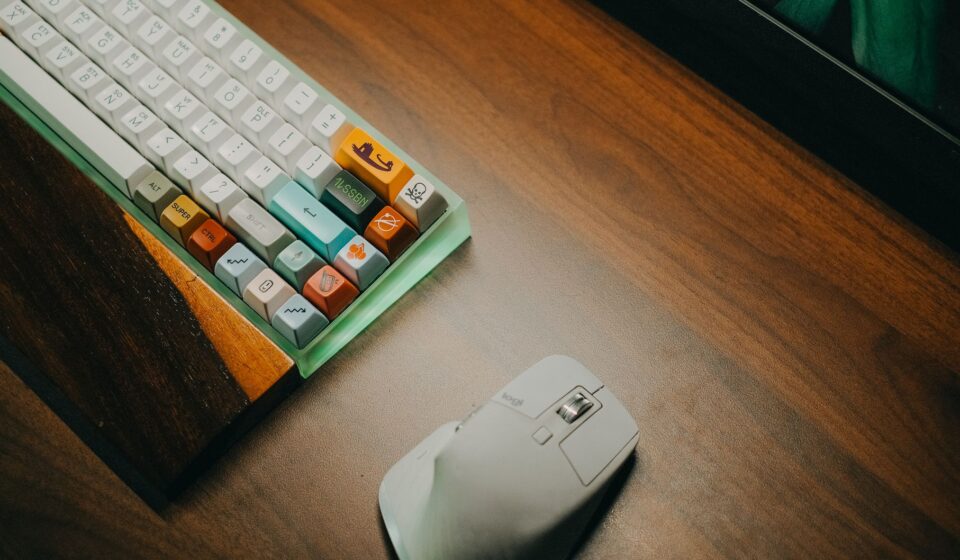
Why Writers Need Ergonomic Keyboards
For writers, the keyboard is more than just an input device; it’s a primary tool for creation. Spending hours each day typing can lead to discomfort, pain,, and even long-term injuries like carpal tunnel syndrome. This is where the best ergonomic keyboard for writers truly shines. As of July 2026, the demand for comfortable, health-conscious typing, solutions has never been higher.
Last updated: July 30, 2026
Unlike standard keyboards, ergonomic designs are shaped to promote a natural hand and wrist posture, reducing strain and fatigue. This focus on well-being can translate directly into increased productivity and sustained writing output, allowing you to focus on your craft rather than physical discomfort.
Key Takeaways
- Ergonomic keyboards are designed to minimize strain and prevent repetitive stress injuries common among writers.
- Key features to look for include split designs, tenting, curved key wells, and integrated wrist rests.
- Consider your typing style (mechanical vs. membrane) and connectivity needs (wired vs. wireless).
- The best ergonomic keyboard for writers often balances customization, comfort, and build quality.
- Investing in an ergonomic keyboard is an investment in your long-term writing career and health.
Understanding Ergonomic Keyboard Features
The term “ergonomic” covers a range of design philosophies aimed at improving comfort and efficiency. For writers, several key features stand out when evaluating the best ergonomic keyboard for writers.
A split design separates the keyboard into two halves, allowing you to position them shoulder-width apart. This reduces ulnar deviation – the outward bending of your wrist. Tenting, where the center of the keyboard is raised, further promotes a natural handshake posture for your forearms. Many split keyboards also offer adjustable tenting angles to suit individual preferences.
Curved key wells or sculpted keycaps can cradle your fingers, reducing the reach and strain needed to press keys. Integrated wrist rests, whether padded or firm, provide support for your wrists, preventing them from bending upwards. However, some experts advise against relying solely on wrist rests, as they can sometimes impede proper typing posture if not used correctly.
Key switch types are also crucial. Mechanical switches offer tactile feedback and durability, often preferred by writers for their typing feel, though they can be louder. Membrane keyboards are typically quieter and more budget-friendly. The choice often comes down to personal preference and the working environment.
Top Ergonomic Keyboard Picks for Writers in 2026
As of July 2026, the market offers a diverse range of ergonomic keyboards. When searching for the best ergonomic keyboard for writers, consider models that balance innovation with proven comfort.
The Logitech MX Ergo is a perennial favorite for its adjustable split and tenting capabilities. Its ball-based thumb cluster offerscustomizablee shortcuts, and the strong build quality makes it a reliable companion for extensive writing projects. While not a mechanical keyboard, its keys offer a satisfying press that many writers find conducive to long sessions.
For those seeking a truly split experience, the Kinesis Freestyle Edge RGB stands out. It allows for maximum separation between the keyboard halves, catering to a wide range of body types and desk setups. The mechanical key switches are available in various options (Cherry MX Brown, Red, Blue), offering a customizable typing feel. Its programmability allows writers to create custom layouts and macros.
The Microsoft Sculpt Ergonomic Keyboard (often paired with its wireless numeral pad) is another popular choice, particularly for those who prefer a more integrated, yet still curved, design. It features a cushioned palm rest and a subtly domed shape that guides hands into a more natural position. While it doesn’t offer the degree of split or tenting found in other models, its contoured design significantly reduces wrist pronation.
For Mac users, the Apple Magic Keyboard, especially the full-size version with a numeric keypad, offers a sleek, low-profile typing experience. While not strictly “ergonomic” in the split-tenting sense, its comfortable key travel and stable scissor switches are well-regarded for extended typing. However, for users needing significant wrist support or a more pronounced ergonomic curve, dedicated ergonomic models would be more beneficial.
Choosing the Right Keyboard for Your Writing Needs
Selecting the best ergonomic keyboard for writers involves more than just picking a well-known brand. Several factors should guide your decision.
Typing Volume and Intensity: If you write tens of thousands of words daily, durability and sustained comfort are paramount. Mechanical keyboards, though pricier, often offer superior longevity and a more satisfying typing experience for high-volume users. Membrane keyboards can be a good entry point for moderate use.
Desk Space and Setup: A compact split keyboard might be ideal for smaller desks, while a larger, fully split design allows for greater customization of your typing posture. Consider whether you need a dedicated numeric keypad for data entry or if a ten keyless (TKL) or even a compact 60% layout would suffice.
Connectivity: For a clutter-free workspace, wireless ergonomic keyboards are highly desirable. Look for reliable Bluetooth or proprietary dongle connections. If you prioritize zero latency and maximum reliability, a wired connection might be preferable, especially for critical writing deadlines.
Budget: Ergonomic keyboards can range significantly in price. Entry-level models might be found for under £100, while high-end, customizable mechanical ergonomic keyboards can easily exceed £200. Setting a budget beforehand will help narrow down your options. For instance, the Microsoft Sculpt Ergonomic Keyboard can often be found for around £60-£80, offering good value for its features.
According to a 2025 survey by the Occupational Health & Safety Magazine, 78% of office workers who experienced persistent typing discomfort reported significant improvement after switching to an ergonomic keyboard.
Ergonomics in Practice: Tips for Writers
Even with the best ergonomic keyboard for writers, proper setup and usage are vital. Simply owning an ergonomic keyboard isn’t a magic bullet; integrating it into a healthy workflow is.
Adjust Your Setup: Position your keyboard so your wrists are straight and your forearms are roughly parallel to the floor. If using a split keyboard, adjust the halves to match your shoulder width. Experiment with tenting angles to find what feels most relaxed for your arms and shoulders.
Take Regular Breaks: Aim for short breaks every 30–60 minutes. Stand up, stretch your arms, wrists, and fingers. Simple exercises can prevent stiffness and improve circulation. The Pomodoro Technique, which involves 25-minute work intervals followed by 5-minute breaks, can be highly effective.
Maintain Good Posture: Ensure your chair is set to the correct height, supporting your feet flat on the floor and your back comfortably. Your monitor should be at eye level to prevent neck strain, which can indirectly affect your typing posture.
Listen to Your Body: Pay attention to any discomfort or pain. If a particular keyboard or setup exacerbates pain, don’t push through it. Consult with a healthcare professional or an ergonomics specialist if discomfort persists.
Common Mistakes to Avoid
When purchasing an ergonomic keyboard, writers can fall into a few common traps that diminish the potential benefits.
Assuming All Ergonomic Keyboards Are the Same: Designs vary wildly, from gently curved to aggressively split and tented. What works for one person might not for another. It’s essential to understand the different types of ergonomic layouts available.
Ignoring Key Switch Preferences: Some ergonomic keyboards use quiet membrane switches, while others offer a range of mechanical options. If you have a strong preference for tactile feedback or a specific switch type, ensure the model you choose offers it. A loud keyboard in a shared office can be disruptive, while a too-mushy switch can feel unsatisfying for heavy typists.
Not Testing if Possible: Due to the personal nature of ergonomics, trying a keyboard before buying is ideal. If direct testing isn’t feasible, read detailed reviews that discuss typing feel, build quality, and long-term comfort, like those from RTINGS.com or PC Mag, which often provide in-depth analysis as of 2026.
Over-reliance on Wrist Rests: While supportive, resting your wrists constantly can sometimes put pressure on the carpal tunnel. It’s often recommended to keep wrists floating slightly above the rest while actively typing, using the rest for brief pauses. The best ergonomic keyboard for writers is one that encourages neutral wrist posture, not just a padded surface.
Frequently Asked Questions
Do ergonomic keyboards actually help writers?
Yes, ergonomic keyboards are specifically designed to reduce strain on wrists, hands, and arms. This can significantly improve comfort during long writing sessions and help prevent repetitive strain injuries.
How much should I expect to spend on a good ergonomic keyboard for writers?
Prices vary, but a quality ergonomic keyboard for writers typically ranges from £60 to £250 in 2026. Budget models offer basic comfort features, while premium options provide advanced customization and superior build quality.
Is a split keyboard or a contoured keyboard better for writing?
It depends on individual needs. Split keyboards offer maximum separation and customization for posture, while contoured keyboards provide a more integrated, yet still curved, design that may be easier to adapt to initially.
What is tenting, and do I need it in an ergonomic keyboard?
Tenting raises the center of the keyboard, promoting a more natural handshake posture for your arms and wrists. It’s highly beneficial for reducing forearm pronation and is a key feature on many advanced ergonomic designs.
Can an ergonomic keyboard improve my typing speed?
While not their primary function, an ergonomic keyboard can indirectly boost typing speed by reducing fatigue and discomfort, allowing you to maintain focus and accuracy for longer periods.
Are mechanical ergonomic keyboards too loud for home offices?
Some mechanical switches, like clicky blues, can be quite loud. However, quieter options like tactile browns or linear reds are available and are often suitable for home office environments or shared workspaces.
Conclusion: Invest in Your Writing Well-being
Choosing the best ergonomic keyboard for writers in 2026 is a proactive step towards a more comfortable and sustainable writing career. By understanding the key features, considering your personal needs, and avoiding common pitfalls, you can find a keyboard that not only supports your physical health but also enhances your creative output.
Ultimately, the investment in a quality ergonomic keyboard is an investment in your long-term well-being and productivity as a writer. Take the time to research, and consider trying different models if possible, to find the perfect fit for your hands and your words.
Last reviewed: July 2026. Information current as of publication; pricing and product details may change.